What Is Hawkhost Web Hosting Service?
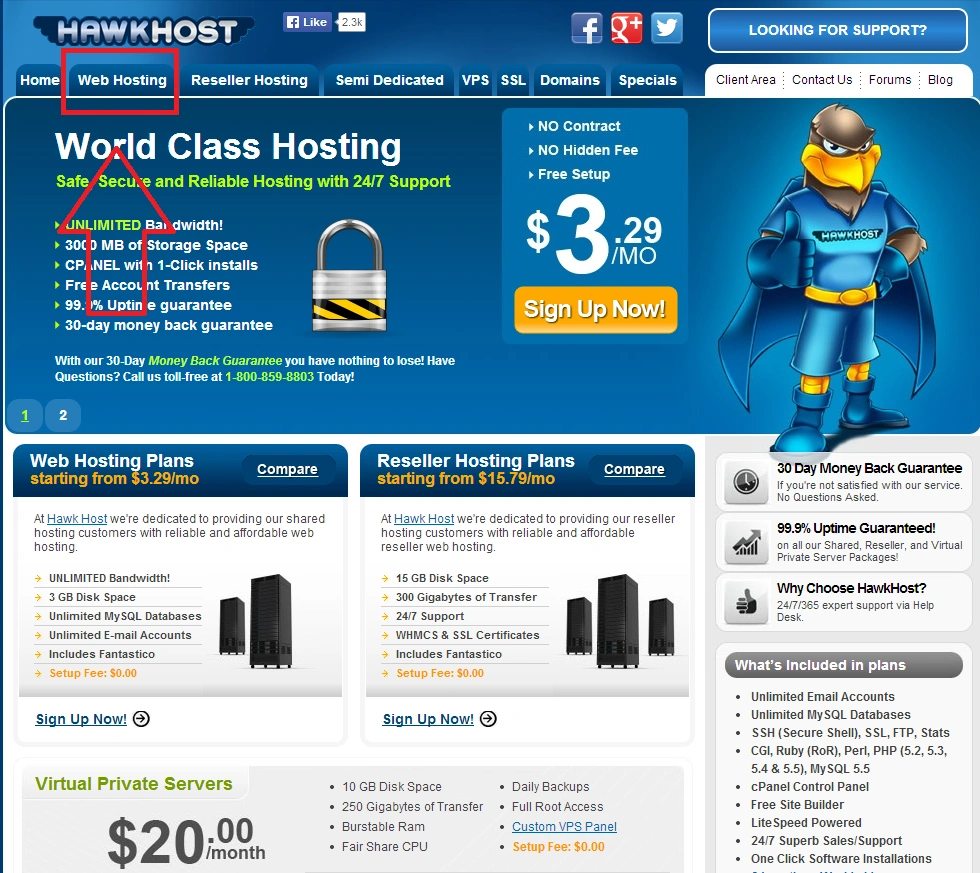
What Is Hawkhost Web Hosting Service?
If you’re looking for a hosting provider, you’ve probably noticed how crowded the market is. There are shared hosting plans aimed at beginners, VPS options for people who want more control, and reseller setups for those managing multiple client sites. In the middle of all that, HawkHost has drawn attention from webmasters who care about affordability, reliability, and practical hosting features.
So, what exactly is HawkHost web hosting service, and who is it for? Let’s break it down in plain English, including what you can expect, what the trade-offs are, and how to decide if it matches your needs.
Overview: what HawkHost is
HawkHost is a web hosting company that provides services for websites and online projects. Like many hosting providers, it offers different hosting types, commonly including shared hosting and VPS-related options (depending on the current product lineup). The goal is to give customers a way to host websites—whether that’s a small business site, a personal blog, an online store, or an application—without needing to manage everything manually.
In general, web hosting businesses like HawkHost handle the underlying infrastructure: servers, storage, network connectivity, and uptime management. Your job is to use the hosting platform to upload your site files, manage your domain, and configure features such as email, databases, security settings, and backups (if included).
What tends to differentiate providers is not just the “hosting” word, but the details: server locations, performance, customer support style, control panel options, pricing structure, renewals, and how they handle limits like bandwidth and disk usage.
Types of hosting you may find
While the exact plans available can change over time, HawkHost is commonly discussed in the same category as providers offering:
Shared hosting
Shared hosting is the most accessible option. Your website lives on a server with other websites. You don’t have root-level control like you would with a VPS, but it’s usually easier to set up and manage.
Shared hosting is typically a good fit if:
- You’re running a WordPress site, blog, or small business website
- You want a straightforward hosting experience
- You prefer a predictable monthly or annual price
VPS or semi-managed options (where available)
Some users look for more control than shared hosting offers. VPS hosting usually gives you more dedicated resources and the ability to configure the environment more directly.
This can be a better fit if:
- Your site is growing and needs more performance headroom
- You have technical comfort with server settings
- You need flexibility for custom configurations
Domain and site management
Most modern hosting services—HawkHost included—focus heavily on making it easy to connect a domain to your hosting account, manage DNS settings, and handle core website tasks like installing apps, creating databases, and managing user access.
Many providers also include or support popular control panels, which can make daily management significantly simpler.
How the service usually works (in real terms)
Even if plan details differ, the basic workflow is similar across hosting providers:
Choose a plan You pick shared or another service type based on your needs. The plan typically determines storage limits, bandwidth allowances, and resource allocation.
Set up your domain If you already own a domain, you’ll configure DNS records or use a built-in domain tool if provided. If not, you may purchase one through the provider (depending on current offerings).
Access your hosting environment You’ll use credentials to log in to a control panel (or equivalent management interface). From there, you can manage files, databases, email accounts, and other settings.
Deploy your website You can upload your website files, install a CMS like WordPress, or connect a development workflow. Many users rely on one-click installers or guided steps.
Maintain and monitor Ongoing tasks include monitoring uptime, managing renewals, updating software, and handling security measures. Some hosts include automated backups or security features, but the availability varies.
The key is that you don’t just “buy server space”—you’re buying the tools and infrastructure that keep your website accessible.
Performance and reliability considerations
When people talk about hosting services, they often mean two things: performance and reliability.
Performance
Performance depends on factors such as:
- Server hardware and resource allocation
- Caching and optimization options
- Network routing and latency to your audience
- The software stack used on the servers
A good hosting service should offer stable speed for typical user traffic. If you run a resource-heavy website—such as an e-commerce store with many dynamic requests—you’ll want a plan with enough capacity and an environment suited to that workload.
Reliability
Reliability is about uptime and recovery. Ideally, you want:
- Clear policies for maintenance windows
- Fast response in case something goes wrong
- Backups (or at least an ability to restore key data)
Even with strong infrastructure, no host can promise 100% uptime. The practical question is how they handle issues and how quickly they restore service if problems occur.
Customer support and usability
Usability matters more than many people expect. A hosting provider can have good servers and still be frustrating if the setup process is confusing or support responses are slow.
When evaluating HawkHost (or any hosting provider), it’s helpful to consider:
- How easy it is to manage domains and site settings
- Whether the knowledge base answers common questions
- How support communicates (tickets, live chat, email) and response quality
- How well they handle billing and renewals
Even basic features—like email configuration or SSL setup—should feel straightforward.
Guide: deciding if HawkHost is right for you
If you’re comparing HawkHost to other providers, use this simple checklist to make your decision:
1) Identify your website needs
Ask yourself:
- What type of site are you hosting?
- Roughly how much traffic do you expect?
- Do you need databases, email, and scheduled tasks?
- Is your site mostly static pages or dynamic content?
2) Match your plan to your traffic level
Choose a plan that provides enough resources so you won’t outgrow it quickly. If you’re unsure, consider starting with a plan that offers room to scale—or that can be upgraded easily later.
3) Check server locations for your audience
If most of your visitors are in a particular country or region, server proximity can affect speed. Look for the location options available with HawkHost and choose based on where your users are.
4) Review features that reduce maintenance effort
For many users, the difference between a good and great hosting experience is whether common tasks are easy:
- SSL certificates
- Email management
- Backups
- Control panel usability
- App installations
5) Consider support quality and documentation
Read reviews, browse their help resources, and confirm how you’ll reach support if you run into issues—especially during critical times like domain changes or site migrations.
Pros / Cons
Every hosting service has strengths and limitations. Here’s a balanced look at what people typically like and what they might question when evaluating HawkHost.
Pros
- Cost-effective options: HawkHost is often viewed as budget-friendly compared to some larger brands.
- Practical hosting features: Depending on the plan, users can usually manage domains, databases, and standard website needs without excessive complexity.
- Scalability (if offered): Many hosting ecosystems allow upgrades as your site grows, which can be important for long-term planning.
- Support resources: Like most reputable hosts, HawkHost typically provides documentation and a support channel to resolve account and technical questions.
Cons
- Plan availability may change: Hosting catalogs evolve, so the exact features you want may differ depending on the current offering.
- Performance depends on plan and workload: Like all shared or budget hosting, performance can vary based on server load and your site’s resource needs.
- You may need to confirm specifics upfront: Bandwidth limits, backup frequency, email features, and renewal terms are areas where it’s smart to verify details before committing.
What to do before you buy
Before signing up, take a moment to check the details that matter most for your situation:
- Are there clear bandwidth, storage, and resource limits?
- What security features are included (or supported)?
- Does the plan include backups, and how often are they performed?
- How does SSL work—automatic or manual?
- What are the renewal prices and contract terms?
- What control panel or management tools will you use?
Doing this up front can save you from unpleasant surprises later.
Choosing the right hosting experience
Web hosting isn’t just a purchase—it’s a foundation for everything you build online. HawkHost web hosting service can be a solid choice if you want a straightforward host with accessible plans and the ability to manage a website without too much technical overhead.
That said, the best host is the one that fits your specific needs: your website type, expected traffic, performance expectations, and how comfortable you are with server management tasks.
If you’re evaluating HawkHost, treat your trial period or first term as an opportunity to test the experience: check setup, deploy a staging version of your site, confirm key features like SSL and email, and see how support responds to questions. When you can measure the experience for yourself, it becomes much easier to decide whether it’s the right long-term home for your website.
If you’d like, tell me what kind of website you’re planning (WordPress blog, business site, e-commerce, custom app) and your approximate monthly visitors, and I can suggest what hosting plan category would usually make the most sense.
🚀 Sign Up for hawkhost
Register for hawkhost here to receive a “lifetime discount” of up to 20%