
What Is Hawkhost Hosting And How Does It Work?
What Is Hawkhost Hosting And How Does It Work?
If you’ve been looking for a hosting provider, you’ve probably noticed that not all web hosts feel the same. Some companies focus on shared hosting, others specialize in VPS, and many offer cloud plans that scale quickly. Hawkhost stands out for a very different reason: it’s known primarily for managed “unlimited” hosting options—especially for people who want more flexibility without constantly worrying about bandwidth rules.
So what exactly is Hawkhost hosting, and how does it work in practice? Let’s break it down in plain English, from the basic idea of the service to the way websites actually run on their infrastructure.
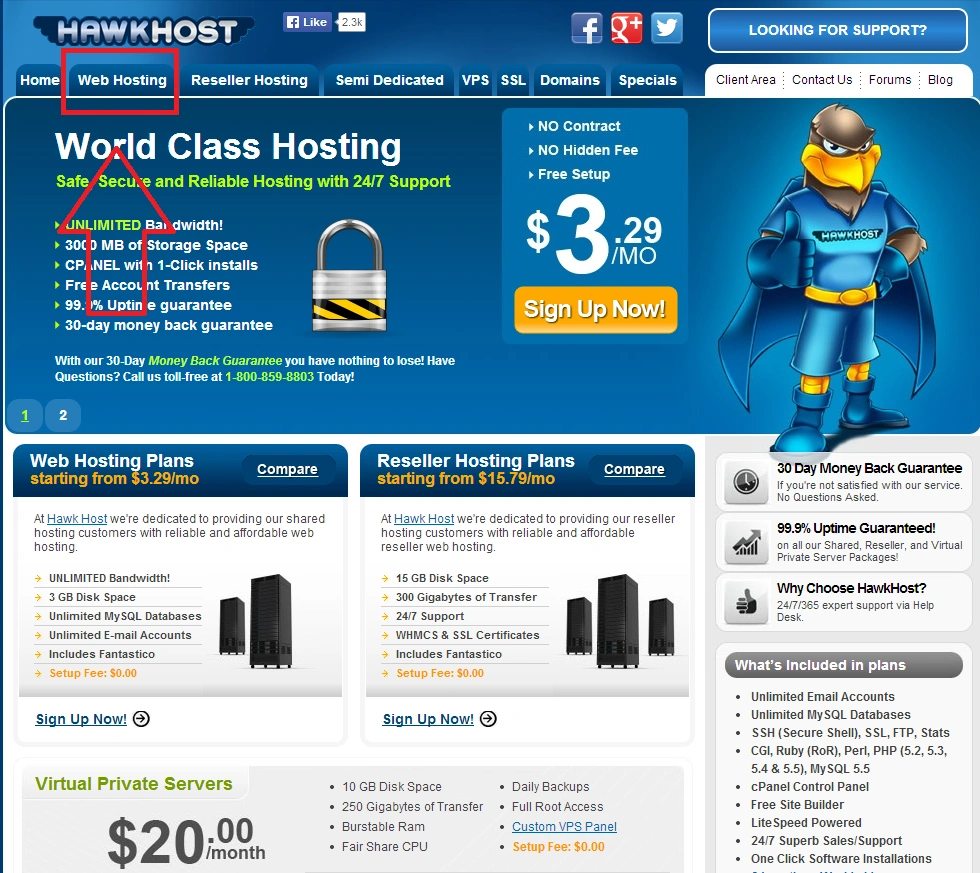
Hawkhost is a web hosting provider that offers various hosting services, most commonly shared hosting-style plans that are often marketed around “unlimited” resources (with fair-use policies). Many customers choose Hawkhost because they want something affordable, straightforward, and capable of supporting typical website needs—blogs, business sites, landing pages, and even certain resource-heavy scenarios, depending on the plan and usage policies.
At a high level, Hawkhost hosting works like any other hosting service: you rent space (and computing resources) on a server so your website can be stored and delivered to visitors. When someone types your domain into their browser, the request goes to the server where your site files live. The server then returns the website content—HTML pages, images, scripts, and so on—so the browser can render your site.
What tends to make Hawkhost different is how it positions its plans and the features bundled into them, which often include performance-focused setups, caching options, and tooling that helps you manage your site without needing to be a system administrator.
How Hawkhost Hosting Works (Step by Step)
To understand how Hawkhost works, it helps to think about the journey of a website—from signup, to deployment, to ongoing management.
1) You choose a plan and create an account
You start by selecting a Hawkhost hosting plan that matches what you need (usually based on site type, expected traffic, and resource requirements). After you purchase, you’ll receive account details and access to the hosting control interface.
Different plans may vary in what’s included (for example, storage size, allowed resources, and specific feature sets). Even with “unlimited” marketing, the exact details of fair usage matter—so it’s worth checking the terms for your plan.
2) Your domain is connected to the hosting account
A hosting plan doesn’t automatically make your site public until your domain points to the server. This is done through DNS settings, typically by setting your domain’s nameservers to Hawkhost-provided values or by configuring A/CNAME records.
Once DNS propagates (which can take from minutes to 48 hours depending on your setup), your domain begins directing visitors to Hawkhost’s servers.
3) You upload or build your website on the server
Now the actual content needs to be on the server. Most hosting customers do this one of several common ways:
- Upload files via FTP/SFTP or file manager tools
- Use a website builder or CMS installer (like WordPress-style workflows, if supported by your plan)
- Deploy from a staging workflow (especially for more technical users)
Your website’s backend components—database-driven features like posts, comments, or customer accounts—require database support and scripting support, which the hosting environment provides.
4) The server serves your site to visitors
When a visitor requests a page, the server performs several tasks:
- Reads the appropriate page files
- Executes server-side scripts (if your site uses them)
- Queries the database (if needed)
- Sends the completed response back to the visitor’s browser
If your hosting plan includes performance features like caching layers, opcode caching, or optimized web server configuration, those help reduce load times and lower server strain.
5) You manage updates and ongoing maintenance
Hosting isn’t a one-time purchase. Over time, you’ll manage:
- Website updates (CMS, plugins, custom code)
- Security patches
- Backup and restore checks (depending on what’s offered)
- Traffic growth and performance tuning
A typical control panel makes common tasks easier: setting up email accounts, managing databases, handling redirects, and viewing resource usage.
6) “Unlimited” usually means “fair use”
Many Hawkhost plans are described as “unlimited,” especially for bandwidth and storage, but in practice, unlimited plans usually come with fair-use policies. This prevents abuse or scenarios where a single user overloads the server for everyone.
The key point: if you’re planning heavy usage—like high-traffic downloads, large-scale media hosting, or CPU-intensive applications—your plan details will matter. Reading the policy section for your specific plan is the safest way to understand real limits.
Features You’ll Typically Expect With Hawkhost
While plan specifics vary, customers often look for a host that provides practical tools and solid day-to-day usability. Features you may encounter include:
- Email support (either via integrated mail tools or standard mail setups)
- Database access (for dynamic websites)
- Control panel access to manage files and settings
- Security options such as SSL certificates (often included)
- Performance-related configurations like caching and optimized server software stacks
If you’re comparing hosts, don’t just look at marketing language—check what’s included on your plan and whether the features match your website type.
A Quick “Guide” to Getting Started
If you’re considering Hawkhost and want a simple workflow to follow after purchasing, here’s a practical approach:
Step 1: Match the plan to your site type
Ask yourself:
- Is your site mostly static (simple pages), or does it use a CMS with a database?
- Do you expect spikes in traffic?
- Will you run scripts, forms, or other dynamic features?
Pick a plan that fits—not just one that seems cheap.
Step 2: Set up your domain correctly
After activation:
- Update DNS or nameservers
- Wait for propagation
- Verify that your domain loads the correct content
If something doesn’t work, the most common issue is a DNS mismatch or incomplete propagation.
Step 3: Install your site platform
If you’re using WordPress or a similar system, install it through your hosting tools (if available) or by uploading the files and configuring the database.
Step 4: Secure everything
At minimum:
- Ensure SSL/HTTPS is enabled
- Use strong passwords for the admin and database accounts
- Keep plugins and themes updated if you’re running a CMS
Step 5: Test performance and stability
Check:
- Page load times
- Error logs (if accessible)
- Email delivery if you’re using hosted mailboxes
Don’t wait until you have real traffic to find out your configuration needs adjustments.
Pros and Cons
Here’s a balanced look at Hawkhost hosting, including why people like it and what to consider before committing.
Pros
- Good value for many users: Hawkhost is often chosen for affordability while still offering a feature-rich environment.
- “Unlimited”-style planning: If your usage is typical and you’re within fair-use boundaries, unlimited marketing can feel convenient and stress-free.
- User-friendly for common website needs: Many customers can manage websites with standard tools without complex server knowledge.
- Supports dynamic websites: With the right plan, you can run CMS-driven sites and typical web applications that rely on server-side scripting and databases.
Cons
- “Unlimited” comes with fair-use limits: Heavy or unusual workloads may run into restrictions, especially if your site consumes disproportionate resources.
- Not designed for everyone’s scaling needs: If you anticipate major growth, a VPS or cloud hosting setup might provide more predictable performance and control.
- Plan details matter: Different offerings can behave differently in practice, so it’s important to confirm bandwidth/storage policies and technical limits for your exact subscription.
Is Hawkhost Right for You?
Hawkhost hosting can be a strong fit if you’re:
- Building a blog or business website
- Running a CMS-based site that isn’t constantly doing heavy processing
- Looking for an affordable host with practical tools
- Comfortable reading fair-use terms and planning around them
It may be less ideal if you’re:
- Hosting extremely high-bandwidth services (like large media streaming or frequent file downloads at scale)
- Running resource-intensive applications that require consistent high CPU performance
- Expecting rapid spikes in demand and needing guaranteed capacity
Final Thoughts
Hawkhost hosting is a web hosting service that follows the standard model of renting server resources for your website—but with a specific approach to plan design that many customers describe as flexible and cost-effective. It works by connecting your domain to Hawkhost servers, placing your website files and database content on the system, and then letting the server serve pages to visitors with performance-focused configurations.
If you understand the fair-use policies behind “unlimited” claims and choose the plan that matches your website’s real needs, Hawkhost can be a practical choice for getting your site online and staying online without constant upgrades. As always, the best decision comes down to comparing plan limits, reading the terms carefully, and making sure the hosting fits how your site actually behaves.
If you’d like, tell me what kind of website you’re planning to run (static pages, WordPress, e-commerce, traffic expectations), and I can suggest what to look for in a Hawkhost plan—or alternatives if it’s not the best match.
🚀 Sign Up for hawkhost
Register for hawkhost here to receive a “lifetime discount” of up to 20%








