How To Secure Your Website On Hawkhost
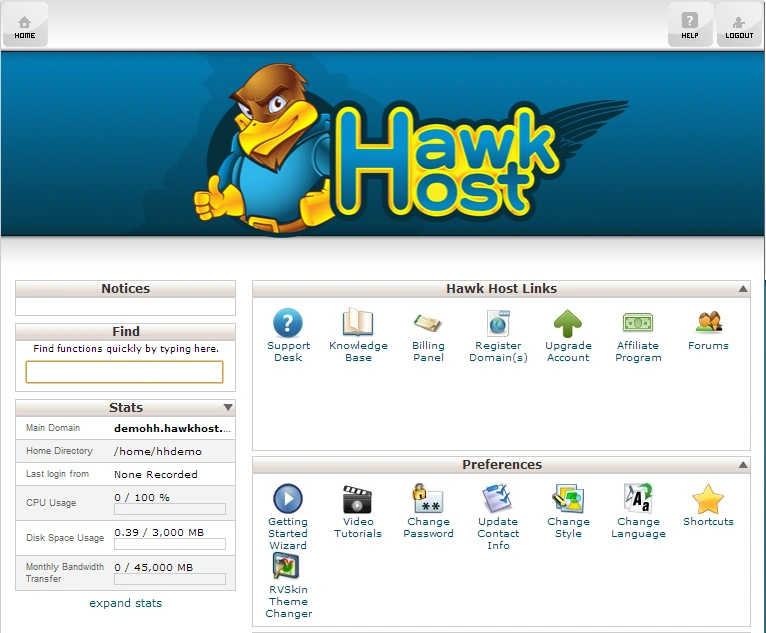
How To Secure Your Website On Hawkhost
Online security isn’t just a “nice to have”—it’s essential for protecting visitors, your reputation, and your revenue. If you host your site with Hawkhost, you’re in a good position to implement strong security practices. This guide walks you through practical steps you can take to harden your website, reduce risk, and respond effectively if something goes wrong.
Even if you’re not a technical expert, most of what matters can be done with straightforward settings, reputable tools, and a few disciplined habits.
Lock Down Your Hosting Setup
Before you focus on your website code or plugins, start with the environment your site runs on. Many breaches begin with misconfigurations at the server or account level.
1) Use a strong Hawkhost account password (and enable 2FA if available)
Start at the highest level. Use a unique, long password (ideally 12–16+ characters) that you don’t reuse anywhere else. If Hawkhost offers two-factor authentication for your account, turn it on immediately. Two-factor adds a critical safety net if your password is ever exposed.
Tip: Avoid common patterns like “Password123” or repeated sequences. A password manager can make this much easier.
2) Review user access and permissions
If multiple people manage your website, make sure each person has the appropriate access level and nothing more. Remove accounts you no longer need, and ensure staff or collaborators only have permissions they truly require.
3) Secure FTP/SFTP access
If you use FTP for file transfers, prefer SFTP (or other secure transfer methods) to avoid sending credentials in plain text. Also check that you’re not using overly broad permissions on sensitive directories.
Enable HTTPS and Secure Your Transport Layer
A site protected with HTTPS is less vulnerable to “man-in-the-middle” attacks and browser warnings that can harm trust.
1) Install or verify an SSL/TLS certificate
Most modern hosting setups make this easy, but you should still confirm:
- Your domain loads in the browser as https://
- The certificate is valid and not expired
- Common intermediate certificates are properly configured
If Hawkhost provides an easy SSL management option in your control panel, use it. Otherwise, follow Hawkhost’s SSL instructions for your specific plan.
2) Force HTTPS site-wide
Once SSL is active, ensure HTTP requests redirect to HTTPS. This prevents users from landing on insecure pages and reduces the attack surface.
Harden Your Website Platform (WordPress or Custom Sites)
The next step depends on what you’re running. The goal is the same: reduce vulnerabilities, limit what can be exploited, and keep your software current.
1) Keep your CMS, themes, and plugins updated
Outdated software is one of the most common causes of website compromise. If you’re using WordPress (or another CMS), update:
- Core CMS
- Themes
- Plugins
- Any framework or libraries
If updates break things, handle them with a staging site or careful rollout—but don’t skip them indefinitely.
2) Remove unused plugins and themes
Inactive plugins and unused themes can still pose risk. Remove what you don’t use. If you need a plugin occasionally, consider reinstalling it when required instead of leaving it installed forever.
3) Use trusted plugins and themes only
Stick with reputable developers and plugins that are actively maintained. Before installing anything, check:
- How frequently it’s updated
- Whether it has known security issues
- Whether it has strong user feedback
4) Use secure file permissions
File permissions influence how much access processes have to files. Too-permissive settings can make it easier for an attacker to modify or upload malicious code.
A common approach is:
- Directories: generally more restrictive than “world writable”
- Files: not writable by everyone
Exact permissions depend on your setup, so follow Hawkhost guidance or platform best practices for your stack.
Protect Against Common Web Attacks
Once the basics are covered, focus on defense patterns attackers use repeatedly.
1) Set up a Web Application Firewall (WAF) / firewall rules
A WAF helps block known malicious requests (SQL injection attempts, common exploit patterns, and more). Some hosts provide WAF features in their platform; if Hawkhost offers something similar, enable it.
If you can’t use a WAF directly, consider deploying a third-party WAF or security proxy—just ensure it works cleanly with your domain and caching.
2) Limit login attempts
Brute-force attacks are common, especially against admin pages. Use rate limiting or built-in protections if your CMS supports it. Many security plugins include this, but you can also enforce it via server or firewall rules.
3) Secure your admin and login areas
A few practical improvements:
- Don’t expose unnecessary admin endpoints.
- Use strong admin passwords (unique and not reused).
- Avoid predictable usernames like “admin” if you can.
- Consider adding additional verification (e.g., 2FA) for admin accounts.
4) Disable directory listing
If your server allows directory listing, visitors can browse files and directories they shouldn’t access. Ensure directory listing is disabled.
Backups: Your Safety Net
Even with strong security, no system is perfect. Backups are what let you recover quickly after an incident.
1) Enable automated backups
Check whether Hawkhost provides automated backups for your hosting plan. If it does, confirm:
- Backup frequency (daily, weekly, etc.)
- Retention period (how long old backups are stored)
- Whether backups include databases and uploaded files
2) Test your restore process
A backup you can’t restore is basically not a backup. Periodically test restoring your site (or at least a database) to confirm everything works.
3) Keep an off-server backup if possible
If all your backups are on the same hosting environment, they could be affected by an account compromise. Whenever feasible, store a copy elsewhere—cloud storage or a separate server.
Monitor Activity and Stay Alert
Security isn’t a one-time task. Monitoring helps you spot suspicious behavior early.
1) Enable logs and review them regularly
At a minimum, review:
- Access logs for unusual traffic spikes
- Error logs for repeated failures
- Authentication logs for brute-force attempts
If your control panel offers log viewing, use it. Otherwise, ensure logs are available and accessible.
2) Use security scanning tools
You can scan for malware, outdated components, and suspicious files. Depending on your setup, options include:
- CMS security plugins
- Host-provided malware detection
- External scanning tools
Run scans regularly—not just after you think something is wrong.
3) Watch for file changes
If attackers get access, they often modify files. Some security tools can alert you when key files change. If you can’t use a specialized tool, consider setting up basic integrity checks (or using a plugin that tracks file changes in WordPress).
Incident Response: What to Do If You Suspect a Breach
If you see signs of compromise—unexpected admin users, defaced pages, redirects, spam content, or unusual traffic—act quickly:
- Stop the bleeding: Put the site in maintenance mode if needed.
- Change credentials: Update your Hawkhost password, FTP/SFTP password, and any CMS/admin passwords. Invalidate sessions if possible.
- Identify the entry point: Look for recently added plugins, theme changes, new users, or modified core files.
- Remove malicious code: Restore from a clean backup, and don’t just “clean one file” if you’re unsure.
- Update everything: Patch the vulnerable software involved.
- Check persistence: Make sure the attacker didn’t install a backdoor or create new scheduled tasks.
- Review logs: Find the timeline to prevent recurrence.
- Contact Hawkhost support: If you can’t determine what happened, ask for help.
The fastest path to recovery is usually restoring from a verified clean backup and then rebuilding any affected components.
Pros / Cons
Pros
- Improved protection: SSL, access controls, and updates reduce the most common security risks.
- Better resilience: Backups and monitoring help you recover quickly.
- Lower maintenance over time: Once you automate scanning and backups, security becomes easier to manage.
- Trust and conversions: Users trust HTTPS and secure login flows, which can improve engagement.
Cons
- Ongoing effort: Security requires regular updates, log checks, and occasional reviews.
- Potential performance trade-offs: Some security layers (WAFs, scanning) may slightly affect speed if not configured well.
- Backup storage costs: Depending on your plan, extra backup copies or off-server backups may cost more.
- False alarms: Security tools can flag harmless activity—so you may need to validate alerts.
Final Thoughts
Securing your website on Hawkhost is less about one “magic setting” and more about building layers of protection. Start with account safety, enable HTTPS, keep your software current, and lock down access. Add monitoring, backups, and basic incident planning so you’re ready if something goes wrong.
If you follow the steps above, you’ll dramatically improve your site’s security posture and reduce the likelihood of being compromised. And if you ever suspect an issue, don’t wait—secure, restore from a known-good state, and address the root cause.
🚀 Sign Up for hawkhost
Register for hawkhost here to receive a “lifetime discount” of up to 20%